How to set your location filters to find more grants
Maximise your search results by entering all location fields that are relevant to your organisation.
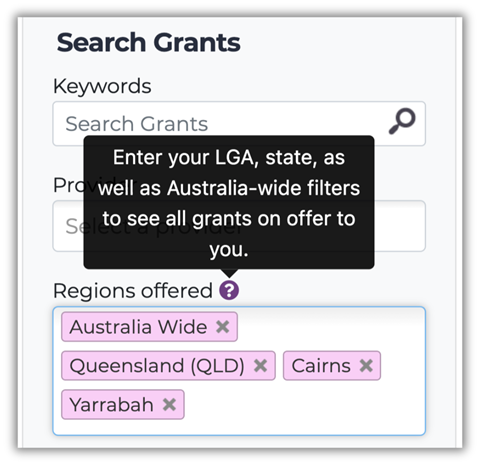
Each location category in the Funding Centre works independently, so selecting just your Local Government Area (LGA) won’t automatically include grants available at the state or national level.
As a starting point, we recommend selecting:
- your LGA: to find grants specific to your local area AND
- your state or territory: for funding available across your state AND
- Australia-wide: to include national opportunities
For example, if you're community group operates across Cairns and Yarrabah, selecting both these LGAs, along with Queensland and Australia-wide, will help you uncover a much broader range of grants.
Want to refine your search even further? Take a look at our help sheets on eligibility types and category definitions to help you narrow down to the most relevant opportunities.