How to save and reuse searches in the Funding Centre
Saving a search in Funding Centre allows you to quickly return to a set of filters tailored to your organisation’s needs or a specific project.
Why save a search?
Saving a search lets you quickly return to a set of filters that match your needs.
It’s a simple way to:
- Keep track of funding for a specific project
- Regularly check for similar grants
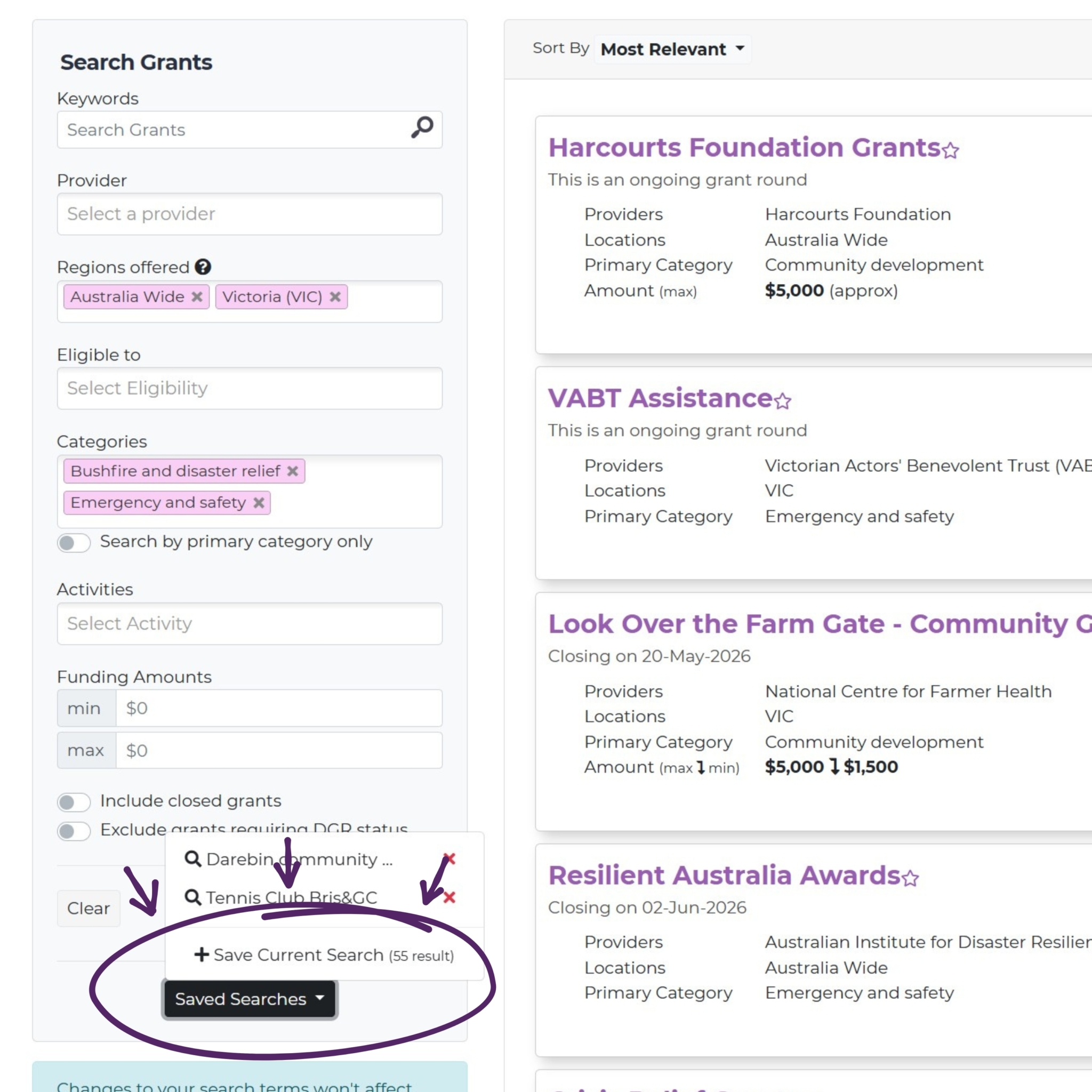
How to save a search?
Follow these steps to save your search filters:
- Go to the Funding Centre search page
- Apply filters relevant to your needs (e.g. category, location, eligibility type etc)
- Make sure the results match what you’re looking for, and tweak your search as needed
- Click “Saved Searches” (located at the bottom of the filters) then click “Save Current Search”
- Name your search and click Done
Your results will automatically update based on current funding opportunities.