How to connect your SmartyGrants account to the Funding Centre?
Connecting your SmartyGrants account brings your grant applications and acquittals into your Funding Centre grants list automatically, so you can see everything in one place.
Before you start
You'll need an existing SmartyGrants account and your SmartyGrants login details. These may be different to your Funding Centre details.
Connecting your account
- Log in to your Funding Centre account and go to your grants list.
- On the right-hand side of the page, click the 'Connect to SmartyGrants' link.
- Sign in with your SmartyGrants details.
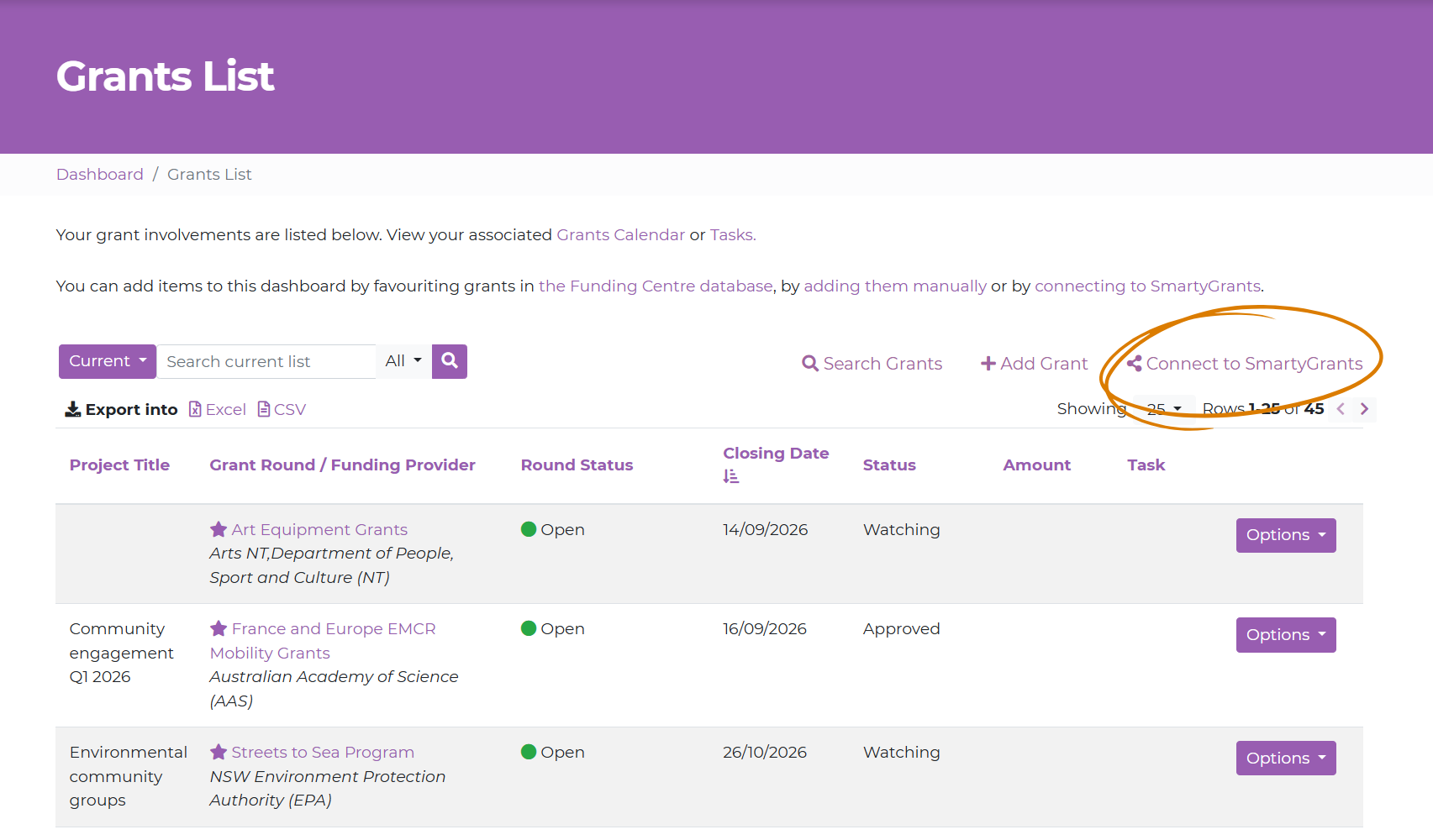
Your SmartyGrants applications and acquittals will now appear in your grants list.
What happens next
You only need to connect once. After that, your grants list updates each time you log in to Funding Centre, so anything new in SmartyGrants, such as a fresh application or a submitted acquittal, appears automatically.
What is SmartyGrants?
SmartyGrants is Australia's most widely used grants administration system, and like Funding Centre, it's an enterprise of Our Community.